Introduction
Gathering accurate requirements is a cornerstone of any successful IT project, yet the process is often time-consuming and inconsistent, especially during live meetings. To address this challenge, I developed a mobile-friendly application using Microsoft Power Platform that empowers Business Analysts to collect, store, and manage requirements in real-time — directly from stakeholder conversations.
This app not only enables structured text entry but also supports voice recordings, automates data storage in SharePoint, and uses advanced cloud services like AWS and OpenAI to enhance the value of captured data.
Screens Overview
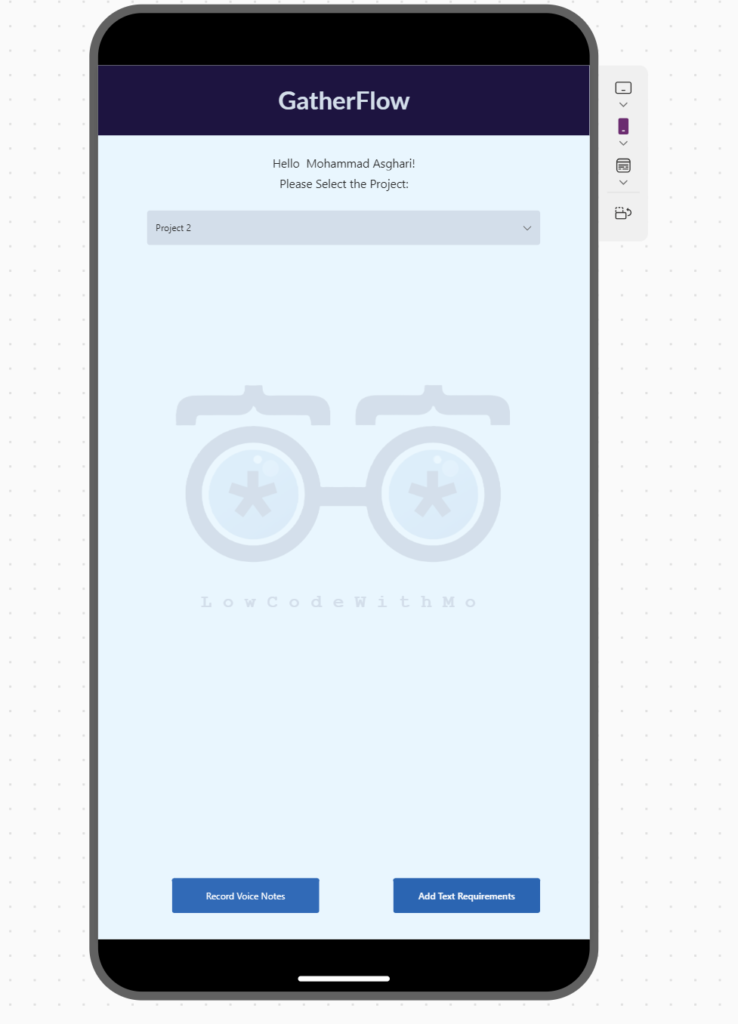
1️⃣ Welcome Screen — “GatherFlow”
Purpose:
The Welcome Screen is the starting point for every requirement-gathering session. Here, users can select the project they’re working on and choose whether to log requirements via voice notes or structured text.
Features:
📝 Add Text Requirements — for direct structured entry.
Personalized Greeting: Displays the logged-in user’s name (in this case: Mohammad Asghari).
Project Selection Dropdown: Users can select from a list of available projects — the selected project will be associated with all subsequent data (including requirements and voice notes).
Session Workflow Control:
Two clear action buttons guide the user to the preferred input method:
🎙️ Record Voice Notes — for capturing spoken discussions.
2️⃣Audio Recording Screen
Purpose:
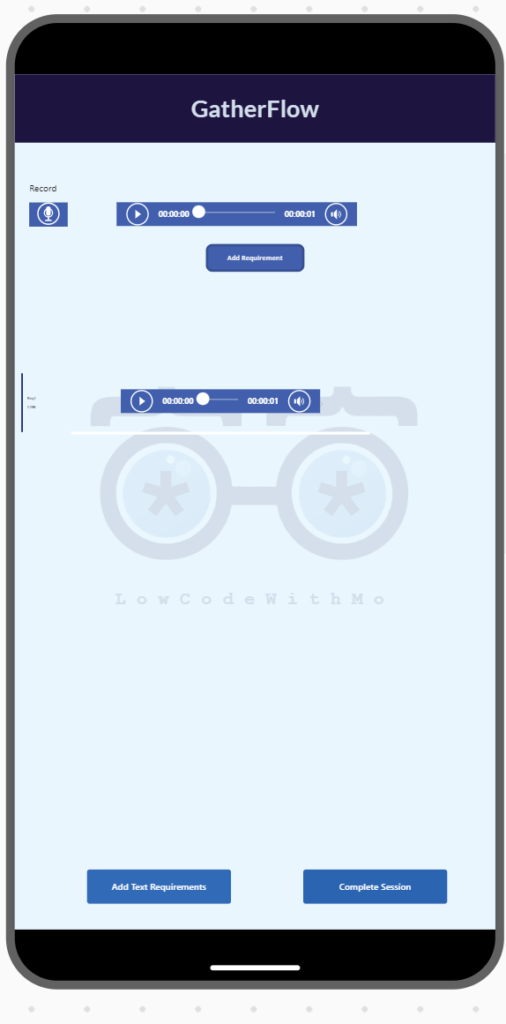
To simplify the process of capturing spoken requirements during meetings or brainstorming sessions, and automatically convert them into structured, usable data.
Features:
- Voice Recording: Allows users to record voice notes related to the selected project.
- Seamless Cloud Upload: Each recorded audio file is automatically uploaded to an AWS S3 bucket via Power Automate using a custom connector.
- Automated Transcription: The recorded audio is processed by OpenAI’s GPT 4.0 API (already integrated into the solution) to transform unstructured speech into structured text.
- Direct Data Integration: Once transcribed, the structured data is instantly pushed to SharePoint using Microsoft Graph, where it becomes available for collaboration and future reference.
3️⃣Audio Recording Screen
Purpose:
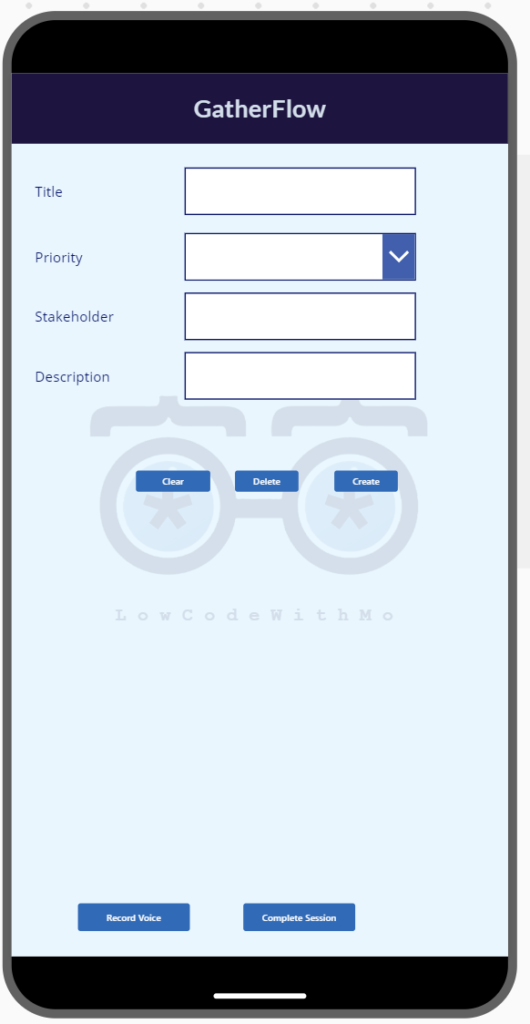
To collect structured text-based requirements efficiently.
Features:
- Four input fields:
• Title
• Priority (Dropdown)
• Stakeholder Name
• Requirement Description - On submission:
- The app saves the Project Name and auto-generates a Session ID based on the timestamp.
- All data is stored in a single row in a SharePoint List for simplified reporting and querying.
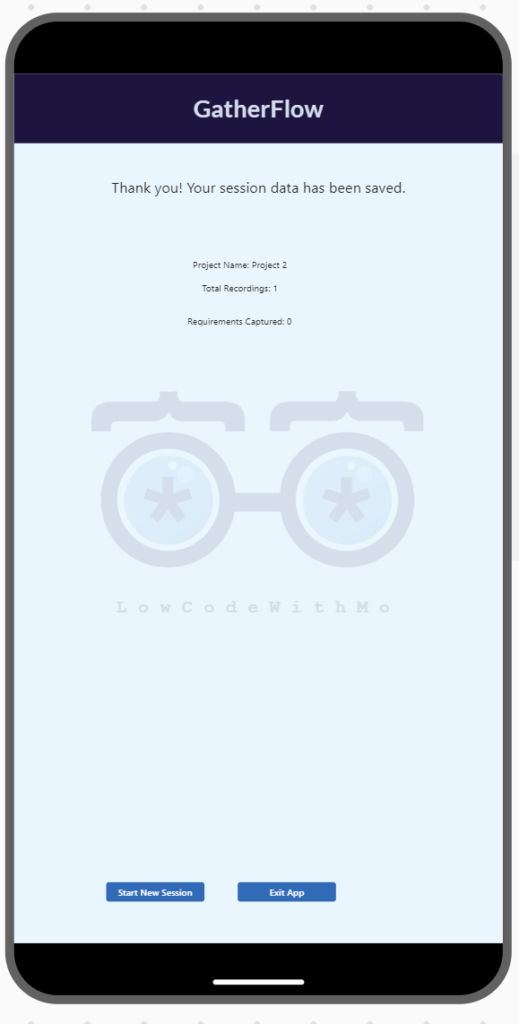
4️⃣Confirmation Screen
Purpose:
To provide a final review opportunity before closing the session.
Features:
- Displays a summary of the entered text or saved recordings.
- Navigation option to return and edit entries.
- “Save & Exit” to finalize the session and store the data.
Technical Architecture
- Microsoft Power Apps: Front-end interface designed for mobile users.
- Power Automate: Manages automation, including saving files to SharePoint and cloud services.
- Power Automate Custom Connector: Enables secure and flexible transfer of audio files to AWS S3 Bucket.
- AWS Transcribe: Converts stored audio files into machine-readable text.
- OpenAI API: Converts unstructured transcripts into structured requirement fields.
- Microsoft Graph API: Handles writing and updating SharePoint data directly from AWS pipelines.
- SharePoint Online: Central storage for both audio recordings and text-based requirements.